
Radar cockpit
Every node on one radar: distance from the hub is latency, line width is bandwidth, the ring is CPU. Alerts and live threats sit beside it.
The operator console for running SENTRA as a service. Onboard customers, give each one their own firewall on one of your nodes, watch every node live, move customers without disruption, and handle licences, billing and alerts in one place.
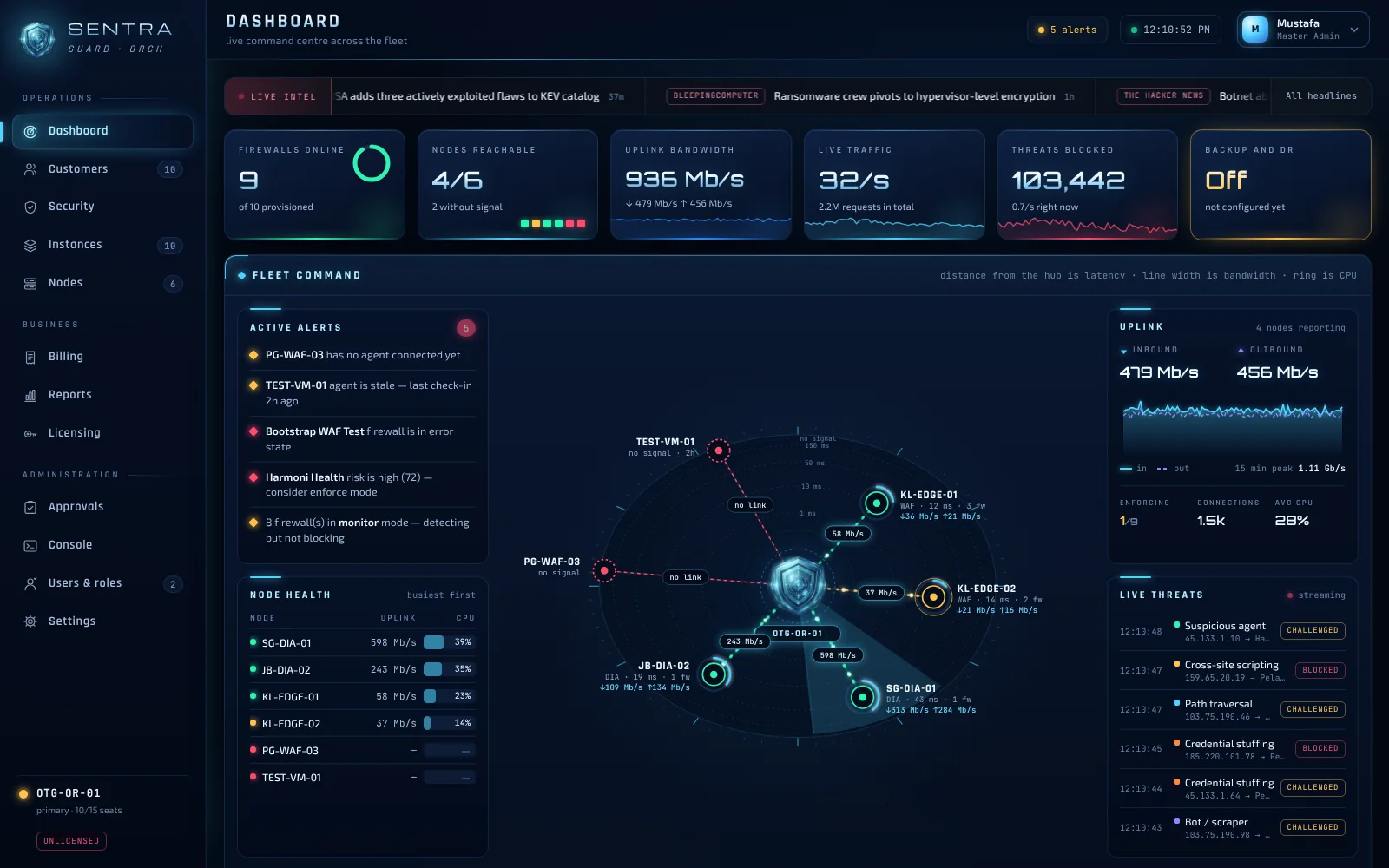
Every node on one radar: distance from the hub is latency, line width is bandwidth, the ring is CPU. Alerts and live threats sit beside it.
Provision AI Threat Shield for a customer's website or Network Threat Shield for their line, on your own nodes.
Rebalance or maintain a node by moving its customers to another one without disruption.
Licences go through maker-checker approval, and billing and alerts live in the same console.
SENTRA GUARD is multi-tenant from the start. Each customer gets their own firewall, and you run the whole estate from one console, from onboarding through to billing.
Running more than one GUARD? SENTRA VIEW puts every orchestrator, node and customer in one fleet cockpit.
Add the customer in GUARD and choose what they need: AI Threat Shield for a website, Network Threat Shield for a DIA line.
GUARD provisions a dedicated firewall for that customer on one of your SHIELD nodes.
The radar cockpit shows every node's health and bandwidth as it happens, with live threats and alerts beside it.
Shift a customer from one node to another seamlessly when you need to rebalance or maintain.
Licences go through maker-checker approval. Billing and alerts are part of the same console.
These are the real SENTRA consoles. The figures shown are demo data.
Every node on one radar: distance from the hub is latency, line width is bandwidth, the ring is CPU. Alerts, node health and live threats sit around it.
SENTRA runs where you put it. SHIELD nodes are installed on your own servers, and you decide which customers run where.
Add a server as a SHIELD node with an install command generated by GUARD. It reports in and appears on the radar.
Start a new customer in Monitor mode to see what would be stopped, then switch to Enforce when you're ready.
Every customer has their own firewall and their own dashboard, so one tenant's settings never touch another's.
Book a walkthrough, or start with a free Safety Check of your site.